Microsoft Copilot Review 2026: The AI Chatbot Built for Productivity
Copilot has quietly evolved from a chat sidebar into a full agentic system inside Microsoft 365. We tested Copilot Chat, Cowork, and Copilot Studio to see if it’s worth the price of admission.
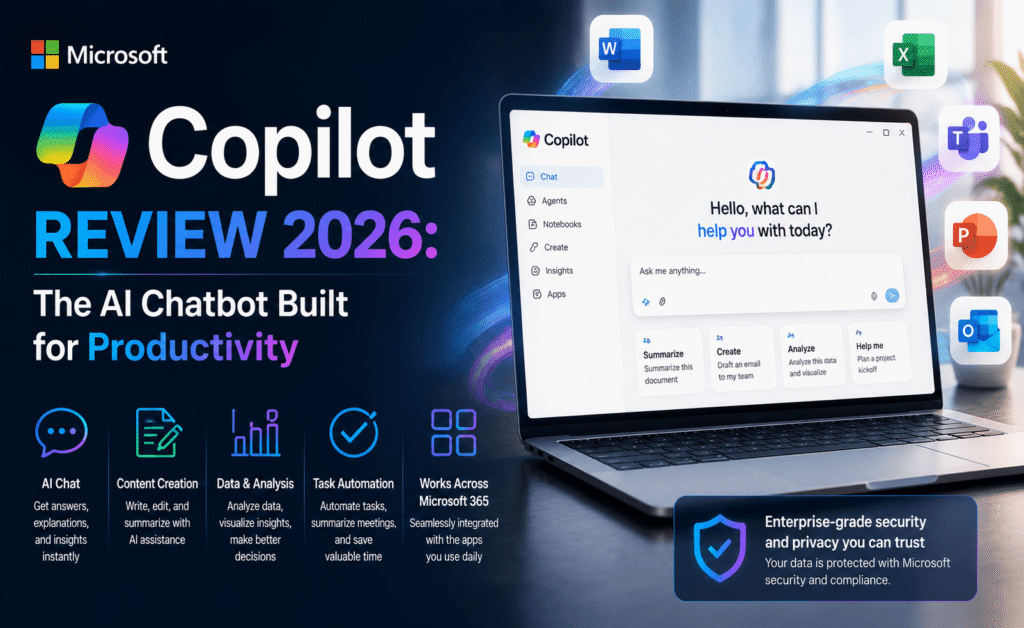
Microsoft Copilot Review 2026: The AI Chatbot Built for Productivity
Of all the major chatbots we cover, Microsoft Copilot is the one that has changed its identity the most this year. It no longer describes itself primarily as a chatbot at all — Microsoft’s own messaging now frames it as a “digital workforce member,” and after testing it across Word, Excel, Teams, and the newer Copilot Cowork system, we understand why. This review focuses on whether that positioning is marketing spin or genuine product substance.
What Copilot Actually Is in 2026
Microsoft 365 Copilot is best understood as three layers stacked on top of each other. At the base is Copilot Chat, a conversational assistant embedded across Word, Excel, PowerPoint, Outlook, and Teams. Above that sits a layer of specialized agents — a Researcher agent for deep multi-source research, a Planner agent for organizing tasks, and others — that can be invoked directly inside a conversation. At the top is Copilot Cowork, an agentic system that went generally available worldwide this year, which takes a defined task and executes it start to finish, returning a completed deliverable rather than a rough draft.
One of the more notable developments is model choice. Microsoft has opened up Copilot Chat to let users select from multiple frontier models, including Claude, for tasks like complex analysis and document understanding — a meaningful shift from Copilot’s earlier single-model approach, and one that gives enterprise users real flexibility depending on the task at hand.
Rating Summary
| Category | Score |
|---|---|
| Office & Productivity Integration | 9.6 / 10 |
| Agentic Task Execution | 8.7 / 10 |
| Enterprise Governance & Security | 9.2 / 10 |
| Conversational Quality | 7.9 / 10 |
| Value for Business Use | 8.5 / 10 |
| Overall | 8.7 / 10 |
Standout Features
- Copilot Cowork. Give it a defined task and it plans, executes, and delivers real work grounded in your organization’s own systems and data, rather than a generic answer. This is the single biggest differentiator versus consumer-facing chatbots.
- Meeting recaps that actually save time. Video and audio recaps of Teams meetings, now available in multiple languages, turn a long recording into a short, genuinely watchable highlight reel with key takeaways attached.
- Copilot Notebooks. A redesigned workspace that brings chats, references, and generated content together side by side, which makes it far easier to work on a single project over several sessions instead of losing context in a scrolling chat log.
- Computer-using agents. Now generally available in Copilot Studio, these agents can operate legacy systems and vendor portals that were never built with APIs in mind, closing a gap that used to require brittle custom automation.
- Governed agent publishing. Organizations can review and approve internally built agents before they’re published to an internal agent store, which is a meaningful governance win for larger enterprises.
Where Copilot Comes Up Short
As a pure conversational chatbot — the kind you’d open just to brainstorm or chat casually — Copilot is noticeably less polished than ChatGPT or Claude. Its personality is more utilitarian, its answers occasionally feel like they’re optimized for “which Office feature should I now open” rather than genuinely engaging with the question. Copilot also remains, unsurprisingly, most useful to organizations that are already deep in the Microsoft ecosystem; the value proposition weakens quickly outside of Word, Excel, Outlook, and Teams.
Pricing Overview
| Plan | Best For |
|---|---|
| Copilot Chat (free with Microsoft account) | Casual users who want basic AI chat without a full license |
| Microsoft 365 Copilot (per-user add-on) | Employees who need Copilot embedded across the full Office suite |
| Copilot Studio | IT teams building and governing custom agents |
| Copilot Cowork (Frontier) | Teams that want full agentic task execution grounded in company data |
Pros and Cons
| Pros | Cons |
|---|---|
| Best-in-class integration with Word, Excel, Outlook, and Teams | Less engaging as a general-purpose conversational chatbot |
| Genuine agentic task execution through Cowork | Full value requires a Microsoft 365 subscription |
| Strong enterprise governance and admin controls | Feature sprawl across Chat, Studio, and Cowork can be confusing |
| Multi-model choice, including Claude, for specific tasks | Some features roll out gradually and inconsistently across tenants |
Who Should Use Copilot?
If your organization already runs on Microsoft 365, Copilot is close to a no-brainer for cutting down time spent on meeting summaries, first-draft documents, spreadsheet analysis, and repetitive task management. IT and operations teams will particularly appreciate the governance layer around custom agents. If you’re an individual looking for a general-purpose chatbot for personal projects, brainstorming, or casual conversation, you’ll likely find more personality and flexibility in ChatGPT or Claude.
Frequently Asked Questions
Do I need a Microsoft 365 subscription to use Copilot?
A basic version of Copilot Chat is available with a free Microsoft account, but the deeper integrations across Word, Excel, and Outlook require a Microsoft 365 Copilot license.
Can Copilot complete tasks on its own?
Yes — Copilot Cowork is designed to take a defined task and execute it end-to-end, returning a finished deliverable rather than just suggestions.
Can I use Claude inside Copilot?
Yes, Microsoft has added model choice to Copilot Chat, allowing users to select Claude for certain complex analysis and document-understanding tasks.
Testing Copilot Cowork on a Real Project
To see whether Cowork lives up to its “digital workforce member” framing, we assigned it a genuinely open-ended task: compile a competitive research summary using internal notes plus public information, then produce a first-draft slide deck. Rather than returning a rough outline, Cowork planned the task, pulled relevant information from connected company data, cross-referenced it with a web search, and delivered a structured, formatted deliverable that needed editing rather than rebuilding from scratch. It wasn’t perfect — a few slides needed reordering, and one data point needed a manual double-check — but the gap between “draft” and “delivered work” was smaller than we expected from any AI system we’ve tested this year.
Copilot Inside Word, Excel, and Outlook
Day-to-day, most users will interact with Copilot inside individual Office apps rather than through Cowork. In Word, drafting and rewriting felt fast and contextually aware of the rest of the document. In Excel, Copilot handled formula generation and basic data analysis well, though it occasionally needed a nudge to explain its reasoning behind a suggested formula. In Outlook, the ability to pull email thread context directly into a Copilot Chat prompt saved real time on drafting replies to long, multi-person threads — a small feature that ended up being one of our team’s most-used throughout testing.
Meeting Recaps: A Standout Feature
We want to call special attention to Copilot’s meeting recap features, because they quietly solve a problem almost every knowledge worker has. Instead of a wall of transcript text, Copilot generates a short, narrated highlight reel combining key takeaways with relevant clips, alongside a written summary. For anyone who regularly misses meetings due to scheduling conflicts, this is a genuinely time-saving feature rather than a gimmick, and the multi-language support means global teams aren’t left out.
Governance, Security, and IT Considerations
For IT and compliance teams, Copilot’s governance layer is a real differentiator versus consumer chatbots. Admins can review and approve custom agents before they’re published internally, configure granular access to features like AI video generation, and apply data-loss-prevention policies directly to Copilot usage. This won’t matter to an individual user chatting casually, but for regulated industries or large organizations rolling out AI at scale, it’s frequently the deciding factor over a more capable but less governable alternative.
Copilot vs. a Standalone Chatbot Subscription
A common question from readers: should a business pay for both Microsoft 365 Copilot and a separate ChatGPT or Claude subscription? In our experience, the two serve different purposes well enough to justify both in many organizations. Copilot excels at grounded, document- and data-aware tasks inside your existing Microsoft workflow, while a standalone chatbot subscription is often better for open-ended brainstorming, creative work, or tasks unrelated to Office documents. Teams with tighter budgets should prioritize Copilot first if they’re already Microsoft 365 customers, since the integration value compounds quickly.
Rolling Out Copilot Across a Team: What to Expect
For organizations considering a wider rollout, our advice based on this testing cycle is to start with a small pilot group across a mix of roles — someone in finance, someone in marketing, someone in operations — rather than deploying company-wide on day one. Copilot’s value varies significantly by role: heavy spreadsheet users and meeting-heavy roles tend to see the fastest, most obvious return, while roles centered on pure creative work may find a standalone chatbot subscription more valuable initially. Microsoft’s phased rollout model, where features gradually expand from a subset of users to the full tenant, actually mirrors this advice well and is worth leaning into rather than fighting.
Copilot’s Trajectory
What stands out most after this testing cycle isn’t any single feature but the direction of travel. A year ago, Copilot was best described as “a chatbot inside Office.” Today, with Cowork handling full task execution and computer-using agents able to operate systems that were never built with AI in mind, it’s closer to an operations layer sitting on top of an organization’s existing software. Whether that framing holds up depends on how reliably Cowork continues to perform as it scales to more complex, less predictable tasks — but the trajectory itself is one of the more interesting stories in the chatbot space this year.
Final Verdict
Microsoft Copilot has successfully repositioned itself from “chat sidebar” to genuine productivity infrastructure, and for organizations already inside the Microsoft ecosystem, that shift is hard to ignore. Rating: 8.7 out of 10 — a strong recommendation for business and enterprise use, with a lower priority pick for casual, personal chatbot use.