Leonardo AI Review 2026: One Subscription, Every Frontier Image Model
Leonardo AI now bundles access to multiple frontier image models, custom fine-tuning, and a real-time canvas under one Canva-owned subscription. Here’s our full hands-on review.
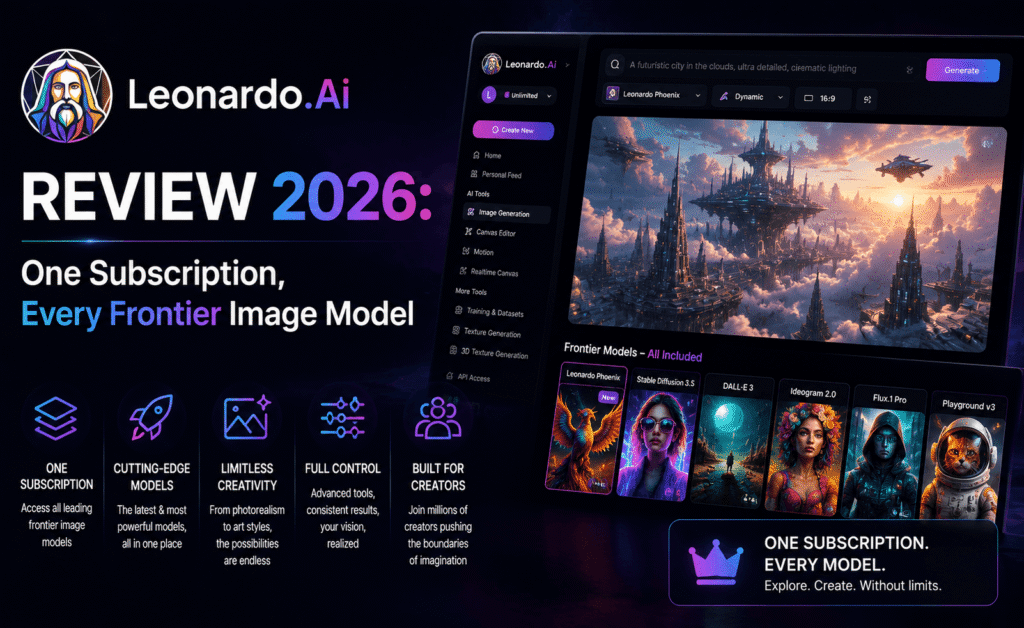
Leonardo AI Review 2026: One Subscription, Every Frontier Image Model
Since being acquired by Canva in mid-2024, Leonardo AI has quietly turned into one of the more unusual products in this category: instead of betting everything on one house model, it now hands subscribers access to several of the industry’s leading image models — alongside its own in-house Lucid line — from a single dashboard and a single monthly bill. We spent ten days generating images, testing character consistency, and poking at the video features to see whether “one subscription, every model” is actually as convenient as it sounds.
Quick Take: Leonardo AI is the most flexible AI image generator in this roundup, giving subscribers access to multiple frontier models, fine-tuned custom training, and a genuinely useful real-time canvas, all starting at a lower price than Midjourney’s entry tier. The trade-off is a token-based credit system that takes some getting used to, and no vector export for anyone needing fully editable design files.
What Leonardo AI Actually Is in 2026
Leonardo AI started life as its own standalone text-to-image tool built around a family of models nicknamed Phoenix. Since the Canva acquisition, the product has evolved into something closer to a multi-model aggregator: open the dashboard today and, alongside Leonardo’s own Lucid models, you’ll find access to several additional third-party frontier models bundled under the same Canva-owned subscription. For a working designer, that means far less time spent juggling separate subscriptions to chase whichever model currently produces the best result for a given job.
This positions Leonardo less as “a Midjourney alternative” and more as a control panel for the entire image-generation landscape — you pick the model that fits the specific job, rather than being locked into one company’s aesthetic house style.
Hands-On Testing
We tested image generation, the AI Canvas editing surface, character-consistency tools, the Motion video feature, and the developer API. Base image quality using Leonardo’s own Lucid models was strong — comparable to Adobe Firefly’s output, though a step behind Midjourney’s top-end photorealism. Where Leonardo pulled ahead of the pack was in workflow depth: the real-time Canvas lets you paint rough compositional guides and watch the AI fill in detail live, which is a meaningfully faster iteration loop than the generate-and-regenerate cycle most competitors are stuck with.
Character consistency across multiple generations worked reliably once we uploaded a handful of reference images and fine-tuned a lightweight custom model — a process that took under twenty minutes and produced a recognizable, consistent character across dozens of new scenes and poses afterward. For game developers and concept artists building out a consistent cast, this custom-training capability is a genuine differentiator that most closed, single-model tools simply don’t offer.
The Motion feature, which animates a generated or uploaded image into a short video clip, produced serviceable results for simple camera pans and subtle motion, though it’s clearly a secondary feature rather than the platform’s core strength. If video is your primary need, a dedicated video-generation tool will serve you better.
Understanding Leonardo’s Token System
Leonardo runs on a daily and monthly token allowance rather than a hard image cap, which gives more flexibility than a strict per-image count but takes a session or two to fully understand. The free plan resets a modest token allowance every 24 hours — enough for genuine testing without ever entering a credit card. Paid tiers unlock a much larger monthly pool, and unused tokens roll over for a limited window rather than disappearing at the end of each billing cycle, though anything left unused is forfeited if you cancel.
Pricing Breakdown
| Plan | Monthly Price | Best For |
|---|---|---|
| Free | $0 | 150 daily tokens, casual testing |
| Apprentice / Essential | $10–$12/month | Regular hobbyists and small creators |
| Artisan / Premium | $24–$30/month | Freelancers needing custom model training |
| Maestro / Ultimate | $48–$60/month | Studios and high-volume production teams |
Annual billing brings meaningful savings across every tier, and compared to Midjourney’s equivalent price points, Leonardo consistently delivers a noticeably larger monthly generation allowance for the same dollar.
Pros and Cons
What We Liked
- Access to multiple frontier image models under a single subscription
- Custom model fine-tuning for consistent characters, styles, and brand identities
- Real-time AI Canvas dramatically speeds up compositional iteration
- Clean web interface with no Discord requirement, unlike Midjourney
- More generous token allowances than Midjourney at comparable price points
What Held It Back
- No vector export, so fully editable design files aren’t possible natively
- Token system takes time to fully understand relative to a flat per-image cap
- Unused tokens are forfeited entirely upon cancellation
- Video (Motion) features remain a secondary strength, not a core reason to subscribe
Leonardo AI vs. the Competition
Against Midjourney, Leonardo offers more model variety and a friendlier price-to-volume ratio, though Midjourney’s own house style still edges it out on pure aesthetic polish for pure artistic work. Against Adobe Firefly, Leonardo offers more model choice and stronger fine-tuning, while Firefly counters with tighter Creative Cloud integration and commercially licensed training data. Against Ideogram, Leonardo’s text rendering is noticeably weaker, making Ideogram the better pick specifically for text-heavy design work.
Building a Custom Model, Step by Step
One of the more genuinely useful features we tested was custom model fine-tuning, and it’s simpler to set up than the phrase suggests. After uploading a set of reference images of a single character, object, or consistent art style, the platform runs a short training job in the background — typically finished well within the length of a coffee break — and the result becomes a selectable option alongside every other model in the dashboard. From that point forward, generating that same character in a new pose, outfit, or environment is as simple as writing a normal prompt and selecting the custom model, with no need to re-upload reference images each time.
This is especially valuable for game studios producing dozens of variations of the same character across different levels or promotional material, and for agencies managing several distinct client brand identities that each need a consistent, repeatable visual language over months of ongoing campaign work.
The Real-Time Canvas in Daily Use
The AI Canvas feature deserves a specific callout because it changes the actual rhythm of working with the tool. Rather than writing a prompt, waiting, and evaluating a finished image, Canvas lets you sketch rough compositional blocks — a shape where a subject should sit, a rough horizon line, a color region — and watch the model fill in believable detail as you work, adjusting on the fly. For compositionally particular projects, like matching a specific product placement or aspect ratio for an ad unit, this dramatically cuts down the number of full regenerations needed to land on a usable result.
We found Canvas especially useful for client-facing work where the exact composition matters more than the final rendering style — a client who wants the product positioned in the lower-right third of the frame, for instance, can be shown a rough live draft and asked to approve the layout before any time is spent polishing the final detail, which shortens the usual back-and-forth revision cycle considerably.
Frequently Asked Questions
Does Leonardo AI have a genuinely usable free plan? Yes — 150 daily tokens reset every 24 hours, which is enough to seriously evaluate image quality and the core interface before paying anything.
Can I export vector files? No, Leonardo AI outputs raster images only; if fully editable vector artwork is a requirement, you’ll need to bring the output into a separate vector tool afterward.
What happens to unused tokens if I cancel? They’re forfeited. Any rollover tokens sitting in your balance don’t transfer back to a free account, so it’s worth using them down before ending a paid subscription.
Who Should Use Leonardo AI?
Game developers, concept artists, and creative studios building image-generation pipelines will get the most out of Leonardo’s model variety and API access. Its custom-training tools also make it a strong fit for agencies juggling multiple distinct brand identities across different clients. If your priority is the single most beautiful image with the least setup effort, Midjourney still edges it out — but for flexibility and value per dollar, Leonardo is hard to beat.
How We Tested
We tested Leonardo AI over ten days on the free tier and a mid-tier paid plan, running our standard fifteen-prompt baseline set across several of the available house and third-party models to compare output quality between them, alongside a dedicated custom-model training exercise using five reference images of a fictional character. We also logged real token consumption across a normal week of use to give an honest read on how far the free plan’s daily allowance actually stretches, and tested the AI Canvas and Motion features against realistic compositional and short-video requests rather than best-case demo prompts.
Final Verdict
Rating: 4.5/5. Leonardo AI has quietly become one of the smartest value propositions in this category — a genuinely fair price, access to multiple leading models, and workflow tools that go well beyond simple text-to-image generation. It’s not the single prettiest picture-maker in this roundup, but as an all-around working tool for serious creators, it’s one of the easiest recommendations we can make.