

Asana Review 2026: Streamlining Team Collaboration at Scale
Asana remains a go-to work management platform for cross-functional teams. We review its timelines, workflow automation, goals, and reporting to see how it holds up against newer competitors.
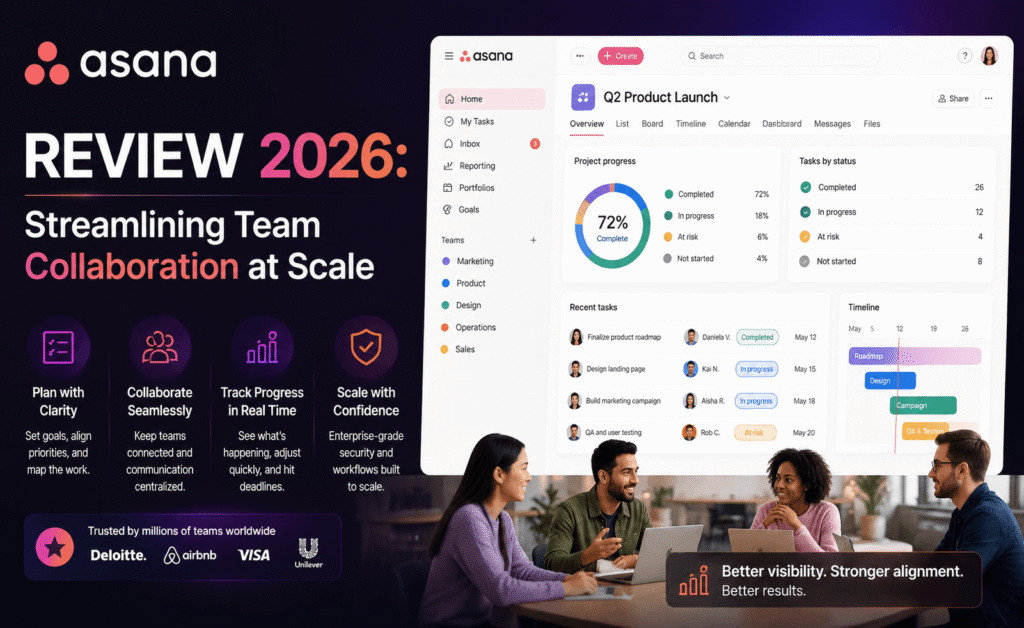
Asana Review 2026: Streamlining Team Collaboration at Scale
Rating: 4.4 / 5 — Asana has long positioned itself as the project management tool for teams that have outgrown spreadsheets and sticky notes but don’t want the complexity of enterprise-grade software like Jira. Years into its life, it remains a fixture in marketing departments, operations teams, and cross-functional groups that need clear visibility into who’s doing what, by when. We tested Asana’s latest version to see how it performs for teams of different sizes.
What Is Asana?
Asana is a work management platform built around projects, tasks, and subtasks, with a strong emphasis on cross-team visibility. It’s designed less around any single methodology — unlike, say, a pure kanban tool — and more around giving managers and contributors a shared, structured view of ongoing work across an entire organization.
Key Features
1. Multiple Project Views
Projects can be displayed as lists, boards, timelines (Asana’s take on Gantt charts), or calendars. Switching between views doesn’t change the underlying data, which makes it easy for different stakeholders to consume the same project information in their preferred format.
2. Workflow Builder and Rules
Asana’s rules engine lets teams automate routine actions — such as notifying a manager when a task moves to “In Review” or auto-assigning tasks based on custom fields — without needing technical setup. The Workflow Builder extends this into full visual process mapping for more complex, multi-stage approval chains.
3. Goals and Portfolios
Goals connect high-level company objectives to the individual tasks that support them, while Portfolios give leadership a consolidated view of multiple projects’ health, status, and timelines in one place — useful for program managers overseeing several initiatives at once.
4. Forms
Built-in forms let teams collect structured requests — such as design briefs or IT tickets — that automatically convert into tasks with pre-filled fields, reducing the back-and-forth typically needed to gather requirements.
5. Reporting Dashboards
Customizable reporting widgets pull data across projects to visualize workload, overdue tasks, and progress over time, giving managers a real-time pulse on team capacity without needing to manually compile status updates.
Pricing Plans
| Plan | Price | Best For |
|---|---|---|
| Personal | $0 | Individuals and very small teams |
| Starter | ~$11/user/month (billed annually) | Small teams needing timelines and rules |
| Advanced | ~$25/user/month (billed annually) | Larger teams needing portfolios and goals |
| Enterprise | Custom pricing | Organizations with advanced admin and security needs |
Pros and Cons
| Pros | Cons |
|---|---|
| Excellent cross-team visibility and reporting | Higher-tier plans get expensive at scale |
| Clean, well-organized interface | Free plan lacks timeline and advanced reporting |
| Powerful automation via rules and workflows | Can feel rigid for teams wanting freeform, Notion-style flexibility |
| Strong forms feature for intake requests | Occasional feature overlap between similar view types |
| Reliable performance even in large workspaces | Advanced features require a real onboarding investment |
User Experience
Asana’s interface has always favored clarity over novelty, and that philosophy still holds. Task lists are clean, timelines are easy to read at a glance, and the overall visual language stays consistent across views, which makes cross-team adoption smoother than in tools that let every team configure things completely differently. New users can get a basic project running within minutes, though unlocking the full value of rules, forms, and portfolios does require some upfront configuration time, typically handled by a project or operations lead.
Performance remains solid even in workspaces with thousands of tasks, and the mobile apps have closed much of the gap with desktop, particularly for status updates and quick task management on the go.
Integrations and Ecosystem
Asana integrates with Slack, Microsoft Teams, Google Workspace, Salesforce, and dozens of other business tools. Its API and native automation rules mean that many cross-app workflows — such as creating a task from a Slack message — can be built without relying on third-party middleware.
Who Should Use Asana?
- Marketing and operations teams managing recurring campaigns or processes across multiple stakeholders.
- Cross-functional organizations that need shared visibility between departments with different working styles.
- Program and portfolio managers overseeing several projects simultaneously.
Small, highly technical teams — particularly software engineering groups — may prefer more developer-centric tools, while very small teams on a tight budget may find Asana’s paid tiers pricier than lighter alternatives.
Security and Administration
Asana’s Enterprise tier includes single sign-on, data export controls, and admin console features that let IT teams enforce policies across an entire organization, such as restricting external sharing or requiring two-factor authentication. Admin-level visibility into workspace activity is a genuine strength for larger organizations that need to demonstrate compliance to internal or external auditors. Even outside the enterprise tier, project-level privacy controls let teams keep sensitive initiatives visible only to relevant members, which is useful for anything from HR processes to unreleased product launches.
Customer Support and Learning Resources
Asana provides a well-organized help center along with the Asana Academy, a library of structured courses covering everything from basic project setup to advanced workflow automation. Paid plans include access to live support, while the free tier relies primarily on self-serve resources and community forums. Because Asana’s interface is relatively consistent across different view types, most users find the learning curve manageable without needing extensive training, though teams looking to fully exploit rules, forms, and portfolios often benefit from a short structured onboarding session with an internal champion or Asana-certified consultant.
A Real-World Example
Picture a 40-person marketing organization running multiple campaigns simultaneously across content, paid media, and design sub-teams. In practice, each campaign became its own Asana project, with custom fields tracking channel, budget, and approval status. A Portfolio view gave the marketing director a single dashboard showing the health of every active campaign at a glance, color-coded by status, without needing separate status-update meetings. Intake forms let stakeholders from other departments submit new campaign requests directly into the system, automatically populating a triage project where the marketing lead could assign priority and owners — replacing what had previously been a slow, email-based request process with something considerably more structured and trackable.
How Asana Compares to Alternatives
Against ClickUp, Asana tends to feel more polished and consistent out of the box, at the cost of some customization depth and native time tracking. Against Notion, Asana is considerably more structured and less suited to freeform documentation, but offers far stronger reporting and cross-team visibility for actual task execution. Against Trello, Asana is a natural next step for teams that have outgrown a simple kanban board and need dependency tracking, portfolios, and more robust automation to manage work across multiple departments rather than a single team.
Mobile App Experience
Asana’s mobile apps are clean and reliable, supporting task creation, status updates, and comment threads with minimal lag. Timeline and portfolio views are viewable on mobile but, as with most competitors in this category, are more comfortably navigated on a larger screen. For contributors whose main job is completing and updating tasks rather than managing overall project structure, the mobile experience is more than sufficient for daily use.
Tips to Get More Out of Asana
- Set up a small number of well-designed rules early — such as auto-notifying a manager on overdue tasks — before expanding into more complex workflow automation.
- Use Portfolios from the start if managing more than two or three concurrent projects, rather than waiting until reporting becomes unmanageable.
- Standardize custom fields across projects — priority, department, and status — so cross-project reporting stays consistent and useful.
- Introduce intake forms for any recurring request type, such as design briefs or IT support, to reduce ad hoc task creation and improve triage.
Frequently Asked Questions
Is Asana overkill for a small team? For teams of two or three people with simple needs, it can feel like more structure than necessary. Asana tends to pay off most once a team grows past five or six people working across multiple ongoing projects.
Does Asana support dependency tracking? Yes — tasks can be marked as dependent on one another, and timeline views will visually flag scheduling conflicts caused by those dependencies.
Is there a free plan suitable for real use? The free Personal plan covers basic task and project management well for individuals or very small teams, though it lacks timeline views, advanced reporting, and workflow rules found in paid tiers.
Can Asana handle recurring processes, like a monthly reporting cycle? Yes — recurring tasks and templated projects make it straightforward to set up repeatable processes, so a monthly report or onboarding checklist can be relaunched with a click rather than rebuilt from scratch each cycle.
Final Verdict
Asana continues to strike a strong balance between structure and flexibility, making it one of the more dependable choices for mid-sized to large teams that need clear accountability and cross-team visibility. It’s not the cheapest option in the category, and it’s not the most freeform, but for organizations that value clarity and consistency over raw customization, it remains an excellent choice. Teams that have struggled with scattered status updates, unclear ownership, or fragmented reporting across departments are likely to see the most immediate benefit, particularly once goals, portfolios, and forms are layered on top of the core task management experience.
Best for: Cross-functional teams and organizations that need clear visibility into work across departments.